
Intelligence lives at home.
A LifeSmart hub coordinates compatible sensors and devices. Supported, commissioned local routines can keep running without an internet connection.
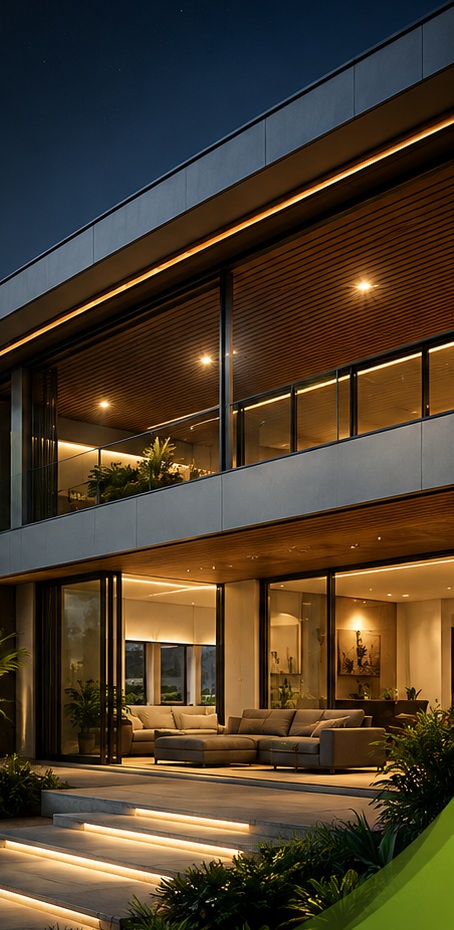
INTELLIGENT LIVING, DESIGNED RIGHT.
A home that looks after the little things.
So you can focus on what matters most.
Smart-home design. Reliable Wi-Fi. Connected energy.
One thoughtfully integrated experience.
 GLOBAL TECHNOLOGY.
01 / THE TECHISLAND DIFFERENCE
A beautiful home should be as effortless to live in as it is to look at.
We design and implement complete smart-home systems—not just install devices. Lighting, climate, security, your network and your energy use are considered together, around your life.
Less wasted energy. Fewer things to remember. Better awareness of risks. And technology that belongs in the background, not on your to-do list.
Your home. Your way.
Less effort, every day.
Less waste. More value.
More peace of mind.
Earlier awareness of risk.
02 / ONE COMPLETE VISION
From the first drawing to the final handover, we connect the details that make your home work beautifully.
Experience our functional engineering demos: Security & Perimeter • Energy & Solar • Smart Gate • Doors & Windows • Sonos Audio • Pool Automation • Sprinklers • Intercom • Elderly Safety • Pet Release
03 / DESIGNED AROUND REAL LIFE
Watch your home respond to the moment. Lights soften, curtains move and everyday devices settle into place. Less to manage. More to live.
IN THIS ROOM
Morning scene ready01 / A FRESH START
Daylight finds its way in. White lighting lifts the room, the television stays off, and the window opens for natural ventilation in this example.
A gentler start, with fewer little things to do.
A visual demonstration, not a live system. Device choices and scenes are tailored to each home. Opening windows requires suitable motorized hardware and agreed safeguards; curtains and windows are shown separately.
Choose a moment above. The room and the color-coded device labels change together. Actual controls and safety functions are defined in your approved design.
04 / THE INTELLIGENCE BEHIND THE EXPERIENCE
The internet connects you to your home from afar. It should not be the only thing holding your home together.
A LifeSmart hub coordinates compatible sensors and devices. Supported, commissioned local routines can keep running without an internet connection.
We design for strong, seamless Wi-Fi coverage throughout the property so your connected home stays responsive where you actually live, work and relax.
Wall switches, panels and supported local controls remain part of the plan. Cloud features add convenience; they do not replace a considered local-control design.
CoSS wireless communication
EXPLORE LOCAL OPERATION
Interactive conceptTry switching off the internet above. The supported local-control path stays available.
Simulation only. Local operation requires powered, compatible equipment and the commissioned configuration. This is not a power-outage demonstration.
Internet resilience is not the same as backup power. We coordinate critical-load and backup-power planning with your electrical and energy specialists. Mains-powered systems need a suitable backup supply during a power outage.
LifeSmart’s Smart Station guidance describes local logic and supported local-network access during an internet outage. Its CoSS protocol connects compatible smart devices; actual performance depends on the product, building and installation. We verify the intended offline functions during design and commissioning. Remote notifications and cloud-dependent third-party features require their respective connections.
LifeSmart Smart Station guidance (manufacturer, Chinese) LifeSmart technology overview LifeSmart Smart Station specifications05 / MORE THOUGHTFUL ENERGY
Efficiency, solar and electric mobility should be considered together—not added as disconnected afterthoughts.
Start by using less of what you don’t need.
We look for avoidable energy use before adding more technology. Monitoring and suitable automation can help reduce waste without treating comfort as a compromise.
Already have solar? Planning for an electric car? We work with your chosen specialists to align the home’s controls, monitoring and infrastructure with the equipment you have—or plan to add.
Plan your connected energy futureONE HOME. A MORE CONNECTED ENERGY PLAN.
Conceptual integration, not an electrical wiring diagram. Solar-aware charging, storage and load management depend on the specified compatible equipment and specialist design.
Reduce avoidable use. Understand consumption where metering is included.
Your smart-home, solar and charging specialists working toward one plan.
Plan for serviceability and expansion. Verify compatibility before adding equipment.
06 / FROM VISION TO EVERYDAY LIFE
Bring us in while you’re planning. We work alongside your architect, interior designer and project specialists to get the details right.
We listen before we specify. Your routines, priorities, floor plans and future plans shape the brief.
We coordinate the smart-home, network and integration scope with your architects and project specialists.
We implement, configure and test the agreed systems together—including the local operation you expect.
You receive a guided handover, practical training and an agreed support plan for life after installation.
GOOD QUESTIONS. CLEAR ANSWERS.
Good design starts with a clear understanding of what your home can—and should—do.
No. We design for new builds, renovations and existing homes. Starting early allows better coordination with your architect and electrical team; a retrofit starts with an assessment of existing wiring, equipment and network coverage.
Compatible, commissioned local automations can continue through the LifeSmart hub while the hub and connected devices have power. Local wall controls remain available according to the selected design. Local app access needs a working local network and a supported, configured local login. Remote app access, cloud services and off-site notifications normally need an internet or available cellular connection.
An internet outage and a power outage are different. Mains-powered equipment needs a suitable backup supply to keep operating. We help plan which critical controls and network equipment should be backed up and coordinate this with the electrical and backup-power specialists. Runtime depends on the loads and the installed backup system.
Often, yes—but compatibility is verified, not assumed. We review the exact models of your air conditioners, gate motors, lighting, pumps, audiovisual equipment, solar equipment and chargers before confirming an integration scope. Equipment warranties, safety controls and manual operation remain important.
Techisland focuses on smart-home design, energy monitoring and solar integration. Solar supply and installation are coordinated with your chosen solar specialist. We help align the smart-home scope with that provider’s equipment and design; solar is not presented as a Techisland panel-installation service.
Yes. We coordinate charger placement, power-capacity requirements, monitoring and compatible controls with your electrical and charging specialists. Charging capacity, solar-aware operation and any load-management features depend on the specific charger, vehicle, inverter and approved electrical design.
There is no responsible one-size-fits-all percentage. Results depend on your appliances, occupancy, comfort preferences, baseline usage and the completed design. We focus on reducing avoidable use and, where metering is included, comparing actual consumption rather than promising a fixed bill reduction.
LET’S MAKE ROOM FOR BETTER LIVING.
Tell us what you’re building, what you’d like to improve, and what matters most to you. Let’s start with your life—not a product list.
Prepare a brief, then choose to email it or keep a copy.